Recognize dozens of languages
Live transcription uses Gemini Live or ElevenLabs Scribe and supports over 40 languages, including Chinese, Cantonese, English, Japanese, Korean, and languages from Southeast Asia and Europe.
Real-time AI interpretation
Turn speech into live captions and translations, so everyone can follow along in their own language.
Prepaid Credits: pay only for what you use. Sign up and top up online; checkout is handled securely by Dodo Payments.
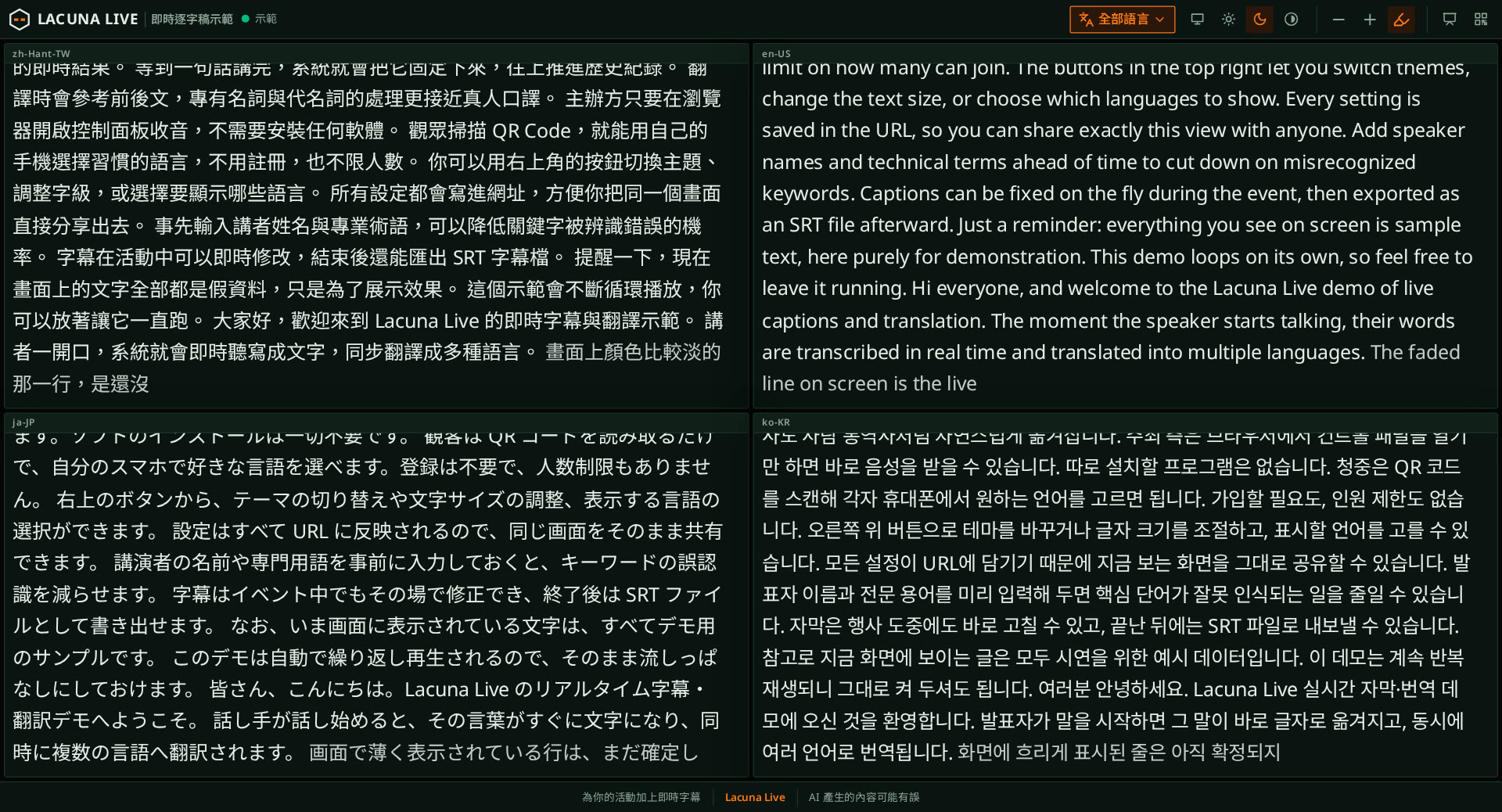
今天要分享的是城市的韌性設計。
Today I'll talk about resilient urban design.
本日は都市のレジリエンス設計についてお話しします。
From small talks, workshops, and meetups to large conferences, forums, and livestreams, you can have captions on your audience’s screens in minutes after you sign up and top up.
Sign in or create an account and top up Credits online. Open My Sessions and enter a room ID to set up captions for your event.
Give your browser access to the microphone, choose the spoken language and translation languages, then press Start. There’s nothing to install.
Display the link or QR code on the event screen. Audience members open it on their phones, choose their language, and see captions update in real time.
Live transcription uses Gemini Live or ElevenLabs Scribe and supports over 40 languages, including Chinese, Cantonese, English, Japanese, Korean, and languages from Southeast Asia and Europe.
Translations take surrounding captions into account to handle names, technical terms, and pronouns more like a human interpreter. Choose a formal, fluent, conversational, or literal style.
Audience members simply open the webpage and choose a language. No app download or login required. You pay only for captured audio, however many people watch.
Add speaker names, organization names, and specialist terminology in advance to reduce recognition errors for important words.
Average latency is around 2 seconds or less, helping audiences keep up. The focus is not just speed, but accurate, natural translation.
Edit or delete caption segments in real time, with updates synced across all languages. After the event, download every language’s transcript in one ZIP of plain-text files, with SRT subtitles available for video.
Translation review
Your audience watches for free. Audio uses no Credits while the room’s primary owner has an active live-transcription grant; otherwise, usage is charged in Credits. Sign up to top up online.
Audience
FreeNo sign-up needed
Prepaid Credits
PrepaidCredits never expire
Sign in or create an account to top up online. Credits are added to your account as soon as payment completes; checkout is handled by Dodo Payments.
Top up Credits300Credits
About 1 h 40 min of translation into 2 languages
1,200Credits
About 6 h 40 min of translation into 2 languages
3,000Credits
About 16 h 40 min of translation into 2 languages
1 Credit = 1 minute of captured audio, plus 1 Credit per minute for each output translation language.
Each top-up is a one-time payment, not a subscription, and never renews automatically; top up again when your balance runs low. Prices are in New Taiwan dollars (NT$); checkout charges NT$ (or the converted amount if you pick another currency) and adds applicable taxes. Purchased Credits never expire.
Sign in to use the control panel. The room’s primary owner needs an active live-transcription grant or remaining Credits. Co-owners use that owner’s grant or Credits and do not need separate activation.
Lacuna Live is an AI live captioning and translation platform made by Bit Creative Co., Ltd. in Taipei, Taiwan. It turns live speech in Chinese or other languages into real-time captions translated into multiple languages, with a Traditional Chinese, English, and Japanese interface and pricing in New Taiwan dollars. It is built for events of any size, from talks, classes, and workshops to international conferences, forums, press events, and livestreams.
Yes. Lacuna Live is self-serve online software that organizers run themselves; no staff need to be on site. A small event (a talk, workshop, study group, or meetup) needs only a laptop and a microphone, with no interpretation equipment to rent, and you pay only for the minutes of audio captured. For a large event (a conference, forum, press event, or launch), connect your mixer output to the computer, show the QR code on the venue screen, and let the audience follow in their own language on their own phones; audience size does not affect the price. Co-owners can share the operating work, speaker names and terms can be entered in advance, and afterward you can download every language’s transcript in one ZIP, plus SRT subtitles for the recording.
No. Both the control panel and audience page run in your browser. All you need to get started is an internet-connected computer and a microphone. To use an audio mixer, connect its output to your computer as the microphone input.
Audience members do not need to sign up or log in. They can view captions by opening the link or scanning the QR code. You are charged only for captured audio and translation languages, so audience size never changes the price. If you expect several hundred or more viewers at once, or most of your audience will share one venue Wi-Fi, email [email protected] before the event and we will check connection capacity.
1 Credit covers 1 minute of captured audio, plus 1 Credit per minute for each output translation language. For example, one minute of audio with two output languages costs 3 Credits. Credits are only used while the control panel is capturing audio, in proportion to the audio received (including silence), and are not rounded up to whole minutes. Only the room’s primary owner is charged, and co-owners use the primary owner’s Credits. No Credits are deducted while the primary owner has an active realtime grant. Capture stops when the balance runs out.
No. Each top-up is a one-time payment that never renews automatically, and purchased Credits never expire. Sign in or create an account to top up online; Credits are added as soon as payment completes. Within 14 days of a purchase, you can get a full refund as long as no Credit-charged audio has been used since (see the Refund Policy).
Checkout is handled by Dodo Payments, the Merchant of Record for all our orders. Dodo Payments collects payment, adds any applicable taxes, and emails your receipt; we never receive your card number. Refunds are also returned through Dodo Payments to your original payment method.
Speech recognition supports over 40 languages, including Chinese, Cantonese, English, Japanese, Korean, languages from Southeast Asia, and most European languages. You can add or remove translation languages freely in the control panel.
Yes. During the event, you can edit or delete caption segments, and all languages update together. Afterward, download the transcript in the original language and every translation as plain-text files in one ZIP, ready for minutes or reports. If you need subtitles for a video, you can also export an SRT file for each language.